Editorial Team Sought for New AAG Journal ‘GeoHumanities’

The Association of American Geographers seeks applications and nominations for a team of two co-editors for a new AAG journal, to be published by Routledge titled GeoHumanities.  The co-editors will be appointed for a four-year editorial term that will commence December 1, 2014.  We anticipate that the team will be comprised of one editor from Geography and one from a Humanities discipline.

The aim of the journal is to draw on and further explore the multifaceted scholarly conversations between geography and the humanities that have been evolving over the past decade.  As such, we anticipate that the journal will serve as a home for the critical and creative interdisciplinary work of artists, authors, historians, geographers, literary and feminist theorists, environmentalists, philosophers and others working across a broad spectrum of disciplines, and at scales from the personal and local to the  international and global.

More details here.

Posted in Uncategorized | Leave a comment

David Harvey, Mapping a New Economy in The Chronicle Review

photo_50373_wide_largeDavid Harvey’s most recent book, and his career as a whole, is discussed in The Chronicle Review.

Posted in David Harvey | 1 Comment

Warwick Institute of Advanced Study Visiting Fellowships

iasWarwick’s Institute of Advanced Study invites applications to its Visiting Fellowship Programme (Deadline 30 June 2014) – full details here.

Posted in Uncategorized | Leave a comment

New Editor Positions: The Geographical Journal, Area and the RGS-IBG Book Series (Human)

RGS-IBG journals and book series seek new editors.

Posted in Uncategorized | Leave a comment

Austerity and Crisis/Emergency

Initial details of a workshop in Durham.

benanderson2012's avatarGoverning Emergencies

Initial details of a workshop at Durham on ‘Austerity and Emergency/Crisis’. It’s not formally part of the network, but obviously linked. If anyone is interested in attending or contributing then please get in contact with ben.anderson@durham.ac.uk. The workshop is being organised as part of an ESRC seminar series on ‘Austere Futures’ led by Beckie Coleman at Goldsmiths;
http://www.austerityfutures.org.uk/events/

Austerity and Crisis/Emergency
Department of Geography, Durham University
30th June 2014
11.00-18.00

The fifth seminar in the ESRC seminar series on ‘Austerity Futures: Imagining and Materialising the Future in an ‘Age of Austerity’’ will hone in on the relation between austerity and crisis and emergency – where crisis and emergency are understood as both material and affective conditions lived unevenly and as specific ways of rendering events and situations governable. A range of recent work has mapped how austerity emerged, or was returned to and reconfigured, in the midst of a translation…

View original post 318 more words

Posted in Uncategorized | Leave a comment

Fudge, Judy and Strauss, Kendra (Eds) 2013 Temporary work, agencies and unfree labour, reviewed by Ben Rogaly

A new review at the Society and Space open site.

Posted in Uncategorized | 1 Comment

Foucault Now (2014)

The latest volume in the Polity ‘Theory Now’ series.

Clare O'Farrell's avatarFoucault News

foucault-nowJames Faubion (Editor), Foucault Now, Polity, February 2014

ISBN: 978-0-7456-6378-4
232 pages

Publisher’s page

Description

Michel Foucault is recognized as one of the twentieth century’s most influential thinkers, however the authors in this volume contend that more use can be made of Foucault than has yet been done and that some of the uses to which Foucault has so far been put run the risk of and occasionally simply amount to misuse.This interdisciplinary volume brings together a group of esteemed scholars, recognized for their command of and insights into Foucault’s oeuvre. They demonstrate the many respects in which Foucault’s project of an ontology of the present remains vital and continues to yield compelling insights and show that an ontology of the present is restricted to no particular terrain, but instead ranges widely and on paths that frequently intersect.The essays in this much-needed new collection address the key components of…

View original post 344 more words

Posted in Uncategorized | 1 Comment

Five apps I find really useful for my writing and blogging

Five apps I find really useful – Evernote – Dropbox – Sanebox – Feedly – WasteNoTime

Evernote – I use this as my main repository for notes, links, lists, etc. I appreciate that you can clip websites directly to it, or email things to a direct address. As I come across useful things; references; things I want to blog, read later, watch, etc., I just throw them into Evernote, and then clean and tidy them later. It syncs across multiple devices, so wherever I am I have access to lists of things to do, things I want to find in libraries, etc. Really useful, handy to have to fill small pockets of time with something useful, and I’d hate to have to do with out it now.

Dropbox – everyone really ought to have some form of online backup. This is the one I use. Free if you don’t use too much space, but not that expensive for individual users. You can share folders with others such as colleagues or collaborators, or use it as an easy way to let someone have access to large files without emailing them. Files are saved on your computer, so you can use them offline (or, I suppose, if Dropbox went down), but are synchronised online, and so you can move between computers and have access to the same files. I’ve not lost a file since I started using this.

Sanebox – I’ve talked about this before, but it helps organise your inbox. This saves time for more important things. I really only want emails that are important and possibly urgent going into my inbox, with less important ones going somewhere else which I can check less frequently. The key folder is @sanelater – a folder it creates and puts all non-urgent emails into. You can train it over time simply by dragging and dropping – tell it some people are important; that others are not. To stop clogging up your inbox; you can banish annoying colleagues (such as those whose default is to ‘reply-all’), email list posts, reminders, to @sanelater – auto-replies are sent here by default. You can set up custom folders for certain people/groups – ones that are important but not urgent, for example. @saneblackhole is even better – drop something in this folder, and you’ll never see an email from that address again. Much better than trying to unsubscribe – never get another Linkedin reminder, for example – and much quicker to set up than in-box assistant or similar. Even before I had this tool, I used to have a rule that meant that only messages addressed to me, by name, in the ‘To’ box went in my inbox. Everything else – group messages, cc’ed messages, etc. went into a different folder that I’d check regularly but less frequently. A huge improvement for prioritising things; but Sanebox is several steps better.

Feedly – a blog/rss aggregator and reader. I like to keep on top of multiple blogs and news sites, and this is the most effective way I’ve found to do that. I can skim through multiple things until I find something I want to read – it’s a crucial source of things I post on this blog. Many email lists have a rss feed – if you subscribe to the list and chose the ‘no post’ option you get no emails, but can still post yourself. Then add the rss feed to Feedly, and you can skim through the posts quickly. This way I keep up-to-date on lots of useful sources, but don’t clog up the inbox. It make crit-geog-forum bearable. I used to use Google Reader until they closed it; this is the best alternative I’ve found.

WasteNoTime – if you need a little web-discipline, this is for you. A plug-in for Safari and Chrome browsers that keeps track of how much time you spend on sites, and can be set to only allow you a limited time on key time-wasting sites (Facebook, Twitter, etc. – you choose) – split between working day hours and off-peak times. You can also put it into lockdown mode for a set time, when you can either only access some sites; or others you have specified are blocked; or all browsing is blocked. Useful to force yourself to commit to writing for a set period.

So, those are the ones I find useful. What else is helpful for organisation, backup, not being interrupted by non-urgent email, general time management etc.? – all things I find crucial to effective writing.


Posted in Writing | 13 Comments

Books received – Foucault, Babich & Ginev, Chevallier

Books recevied 13 May 2014I’ve been trying not to accumulate books while in New York – despite living opposite Strand Books – to keep luggage weight down for the trip home. I am sure there is a small post mountain waiting for me back at Warwick. But Babette Babich gave me a copy of her recent co-edited collection The Multidimensionality of Hermeneutic Phenomenology, and a recent essay on “The Aesthetics of the Between“; and I had the most recent Foucault lecture course, Subjectivité et vérité and Philippe Chevalier, Michel Foucault: Le pouvoir et la bataille sent to me here. Looking forward to all of them.

Posted in Babette Babich, Books, Foucault's Last Decade, Michel Foucault | Leave a comment

Lefebvre and the devil – some thoughts from Angus Cameron

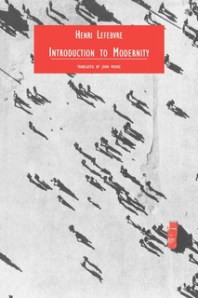
Angus Cameron has some thoughts on one of Lefebvre’s little-known essays, ‘The Metamorphoses of the Devil’, which appeared in An Introduction to Modernity (now available for very little in the Verso Radical Thinkers series).

9781859840566-frontcoverIn a very entertaining essay first published in French in the 1960s, Henri Lefebvre outlined a project for a Marxist history of the devil.  Although as far as I am aware he never got round to writing the book-length version – to be called The Metamorphoses of the Devil – the chapter in his Introduction to Modernity is still a significant contrbution to understanding the meaning of this curious entity.  Among its more provocative conclusions is that (following two leading French theologians), “Apparently God is dead, but the devil is still alive” (p.62). [continue here…]

Posted in Henri Lefebvre | Leave a comment